System Design
YouTube / Netflix — High-Level Design
A walkthrough of how I'd design a video platform like YouTube or Netflix — from a single server to S3 uploads, a transcoding ladder, HLS/DASH packaging, and CDN-backed adaptive bitrate streaming. Below is the design, step by step.
- 01
Requirements & API
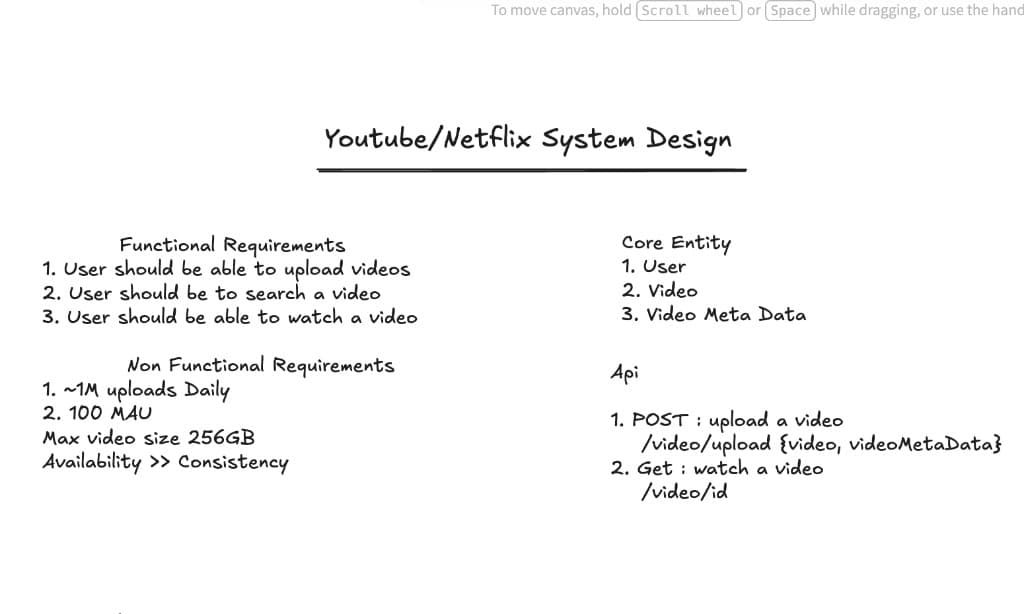
Upload, search, and watch. Scale is ~1M uploads a day, 100M monthly active users, max video size 256GB. Availability beats consistency — a slightly stale search result is fine; the player going down is not. Core entities are User, Video, and Video Metadata. POST /video/upload and GET /video/:id cover the first cut of the API.
- 02
Day 0 — Monolith
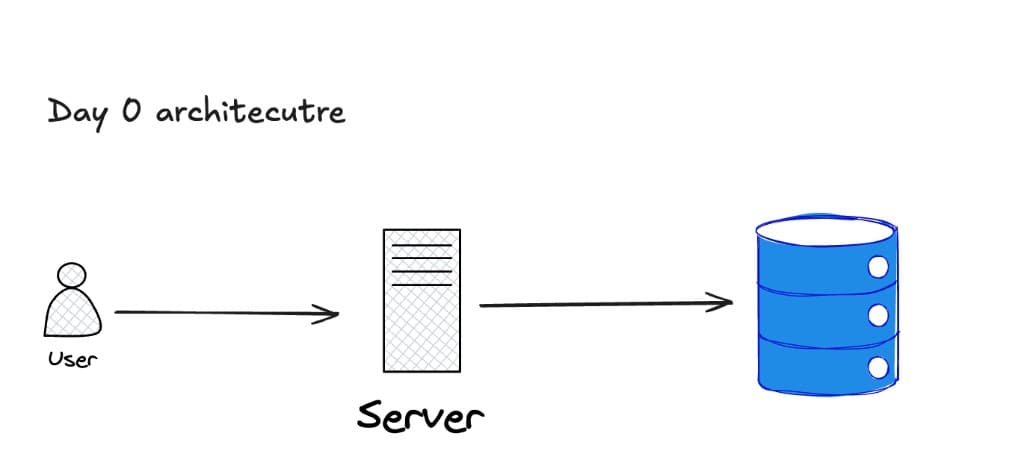
User → one server → one database. Fine for a prototype. It will not survive 100GB uploads, search at 100M MAU, or playback on a phone over 4G.
- 03
Postgres Is Not for BLOBs
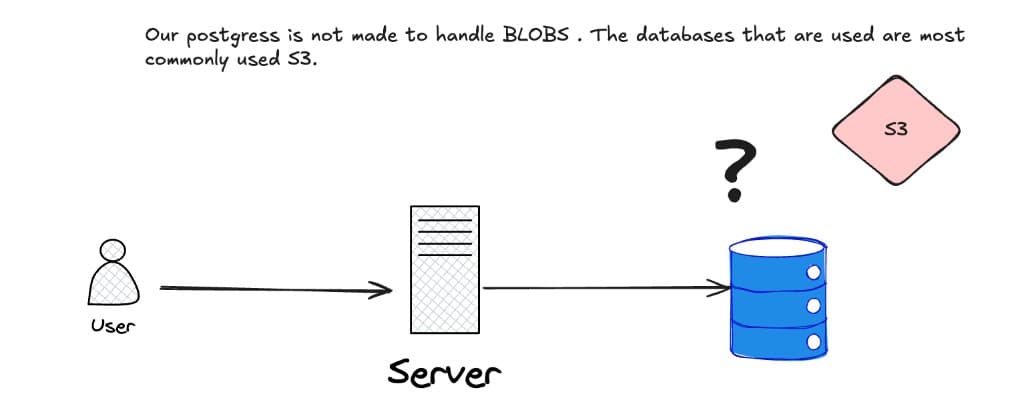
Storing video bytes in Postgres is a non-starter. Object storage (S3) holds the file; the database holds metadata — id, name, description, status, s3URL. The question mark on the DB is the whole point of the next few steps.
- 04
Pre-signed URLs & Multipart Upload
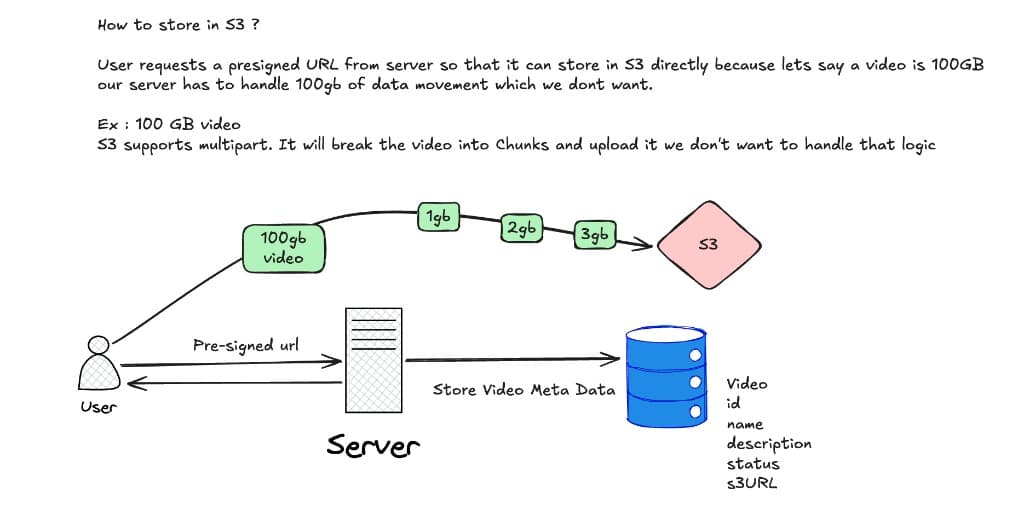
The app server must never proxy a 100GB file. The client asks for a pre-signed URL, then uploads straight to S3. S3 multipart splits that into 1GB-class parts so a dropped connection does not restart from byte zero. The server only writes metadata: video id, name, description, status, s3URL.
- 05
S3 Notification Completes the Upload
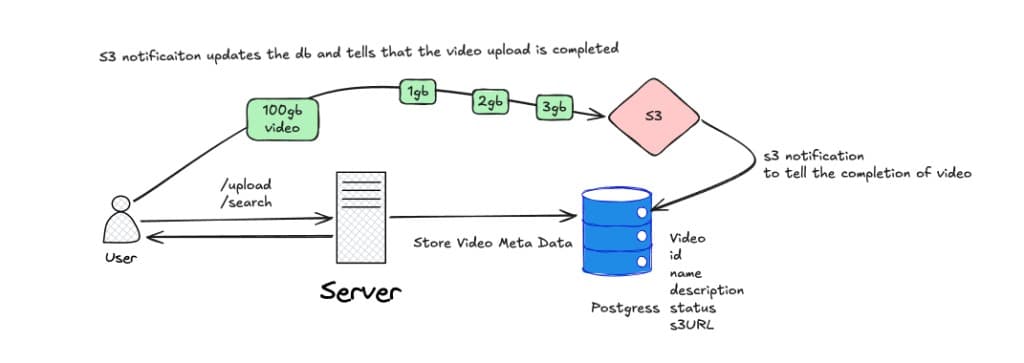
/upload stores metadata first; the bytes go to S3 in chunks. When the object lands, an S3 notification flips status to uploaded. Search and playback should not see a video whose file is still in flight.
- 06
Naive Watch — Download the Whole File
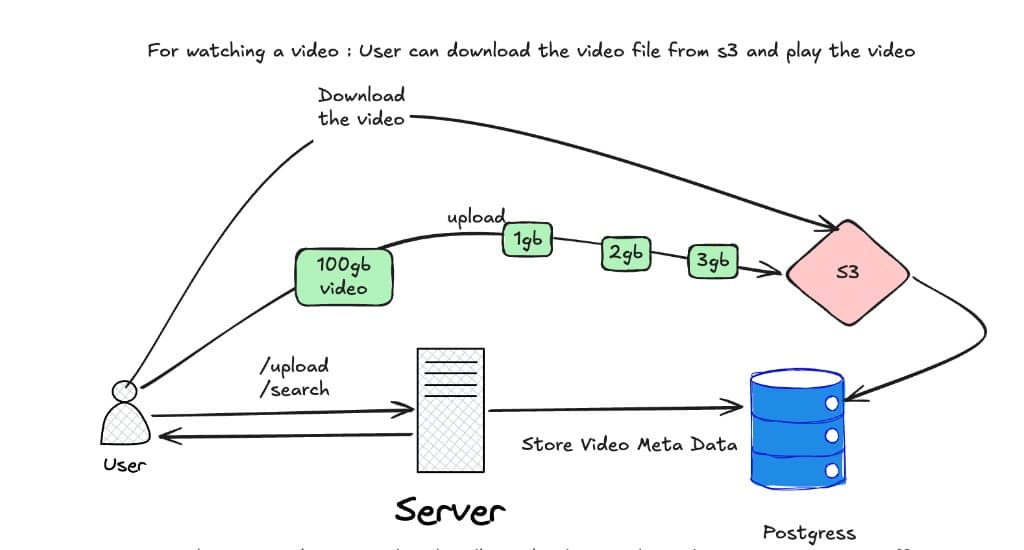
The obvious playback path is “download from S3 and play.” That works for a 10MB clip. It does not work for 100GB: bandwidth, battery, and the user’s data cap all lose. That failure is why we split search from video and stop treating the object as one blob.
- 07
Day N — Microservices
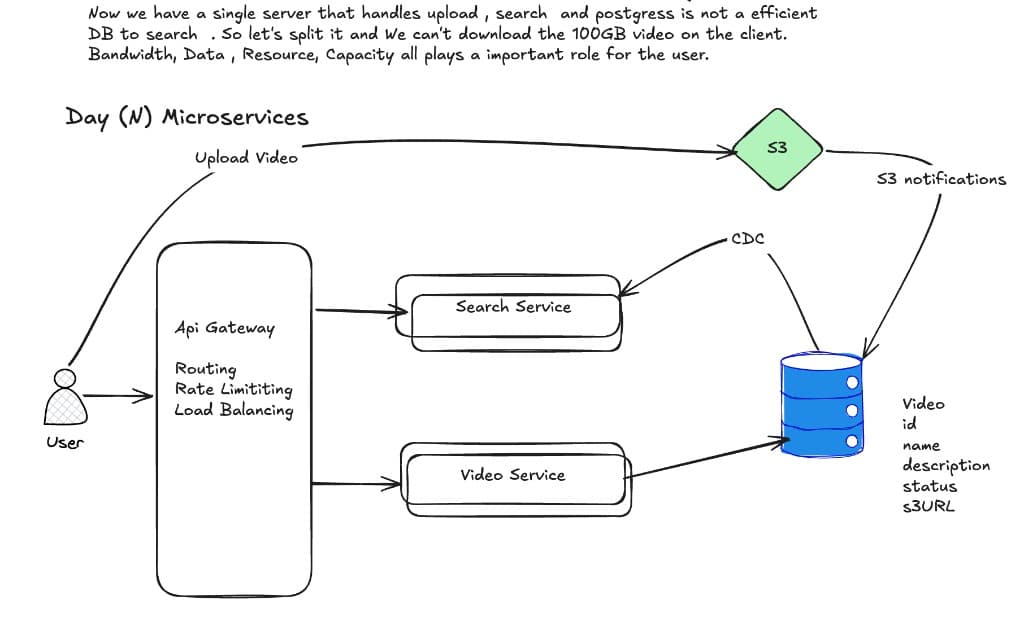
API Gateway (routing, rate limits, load balancing) in front of Search and Video. Uploads still go direct to S3; S3 notifications update the DB. Postgres is a poor search engine, so CDC streams metadata into the Search service. The client never downloads the raw 100GB object.
- 08
Chunking & Transcoding
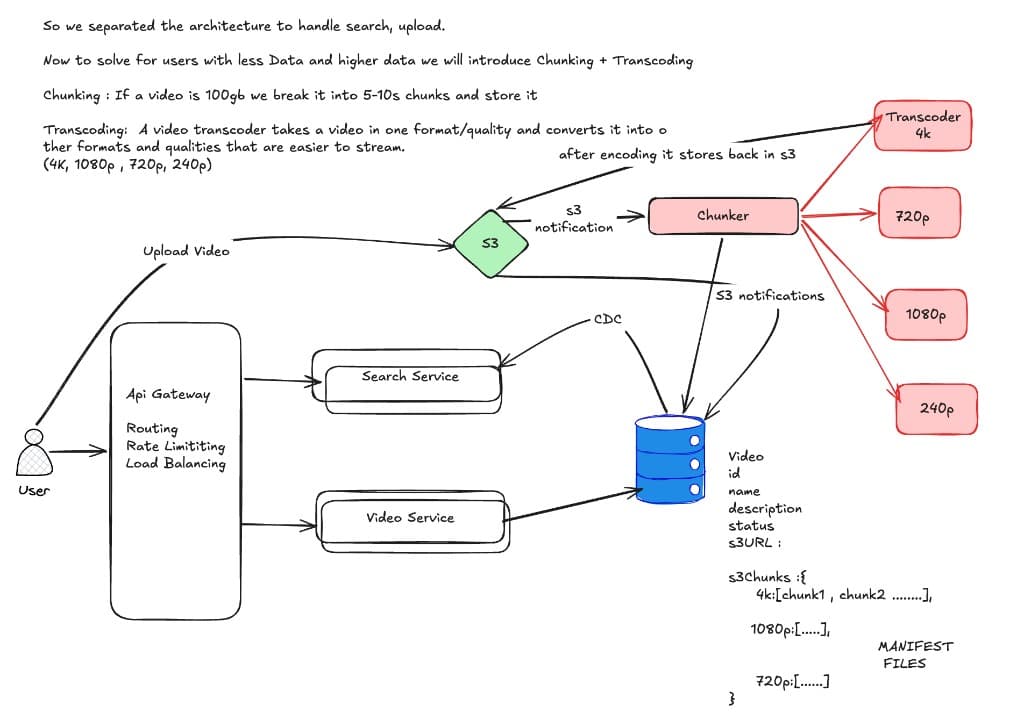
S3 notify → Chunker splits the file into 5–10 second segments → transcoders emit 4K, 1080p, 720p, 240p and write them back to S3. The DB tracks status plus s3Chunks per resolution and the manifest files. One upload becomes many renditions so a slow network can still play.
- 09
CDN + Adaptive Bitrate
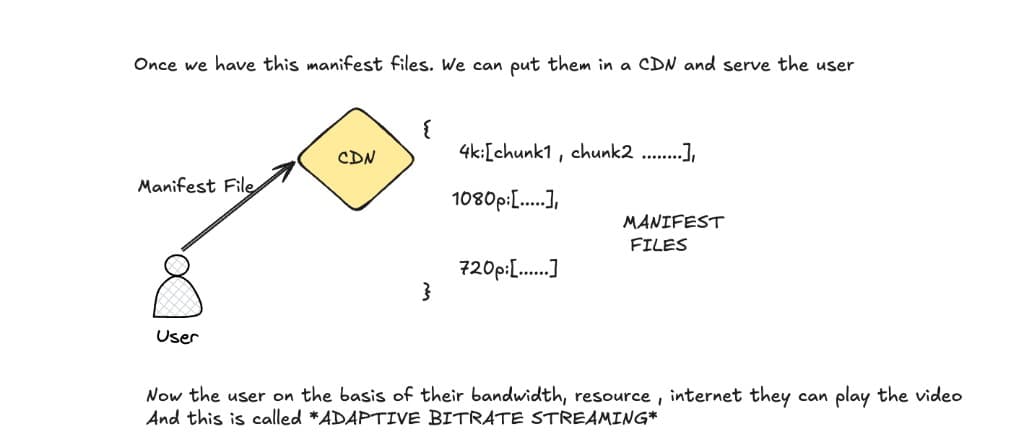
Manifests live on a CDN. The player fetches the manifest, then pulls chunks for the quality the current bandwidth can sustain — 4K on fiber, 720p on LTE, 240p on a bad train. That switch mid-stream is adaptive bitrate streaming.
- 10
HLS vs DASH
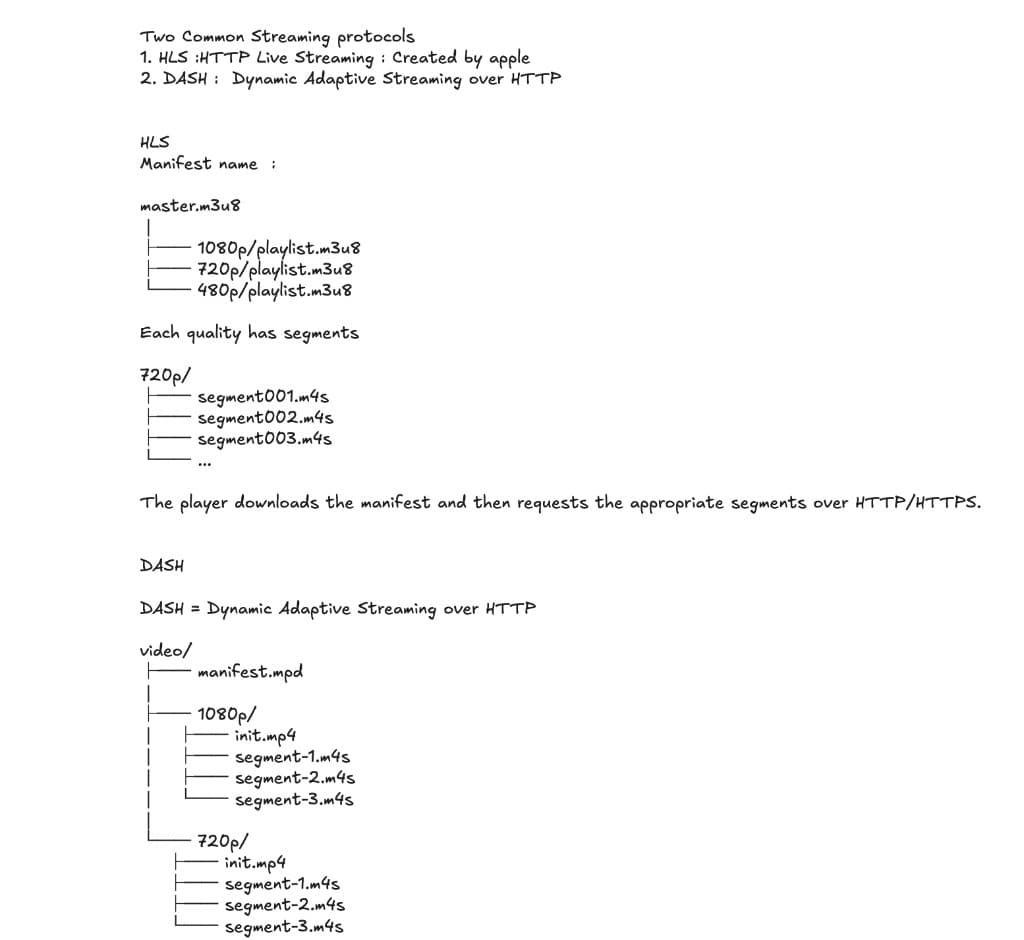
HLS (Apple): master.m3u8 points at per-quality playlists, each a list of .m4s segments. DASH: manifest.mpd plus init.mp4 and segments per resolution. Same idea — HTTP segments the player can swap — different packaging. Transcode once, package into both if you need Safari and everyone else.
- 11
Overall Architecture
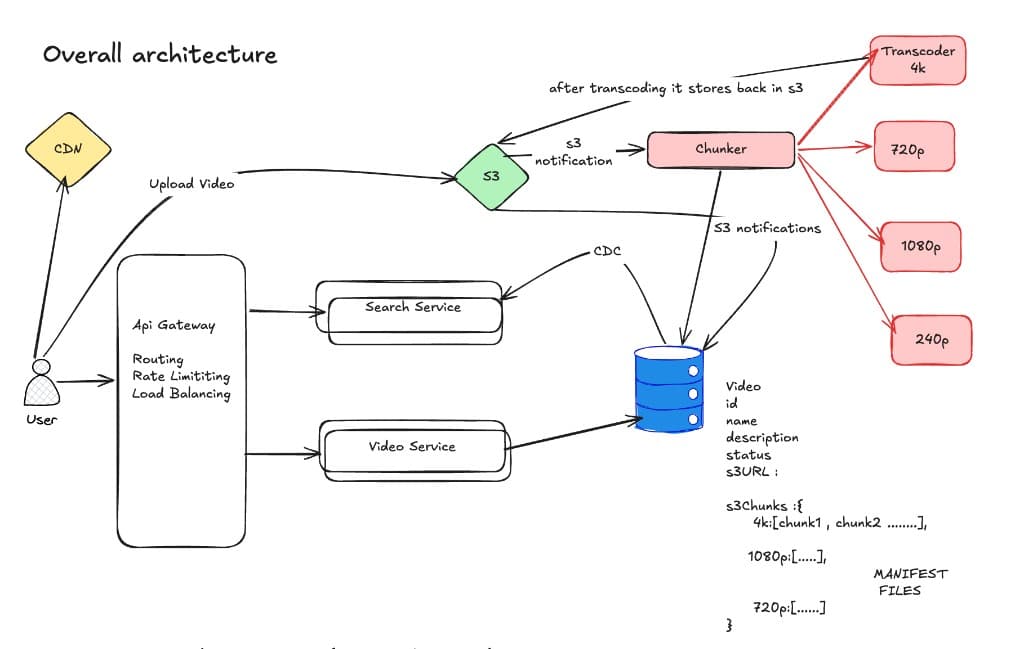
User hits CDN for playback and the gateway for search/video APIs. Upload → S3 → chunker → transcoders → S3 again. Metadata in Postgres; CDC keeps Search current. Manifests and chunks on the CDN close the loop from a 256GB upload to a phone that never downloads more than the next few seconds.
- 12
Containers, Codecs, Transcoders
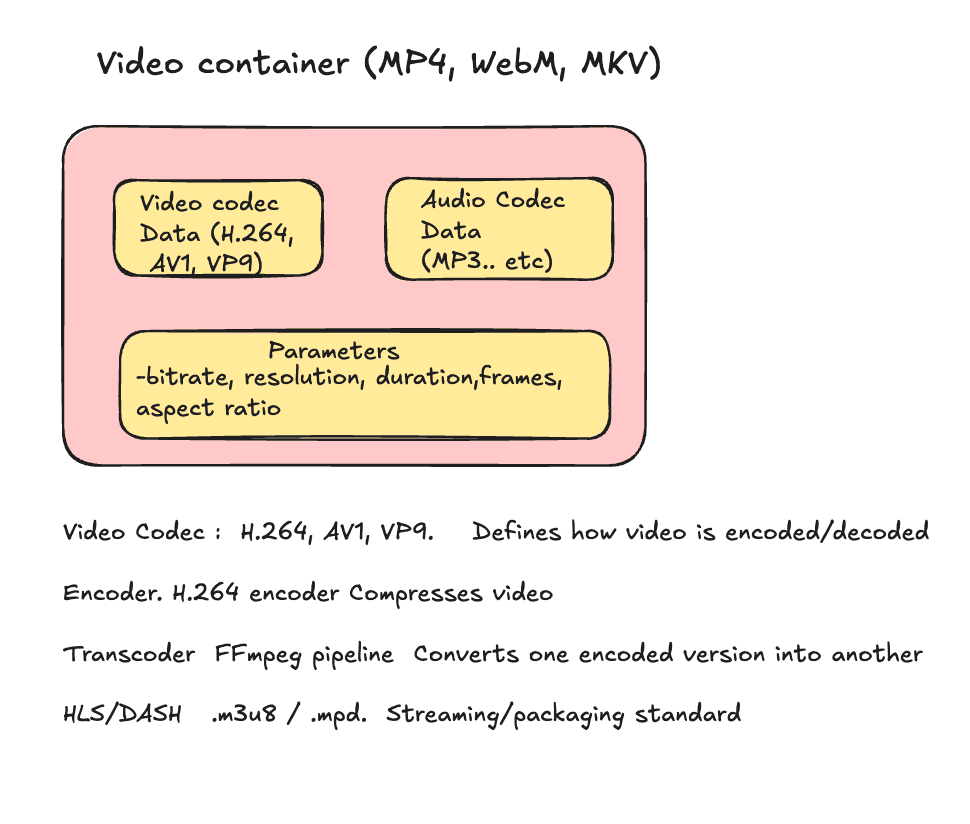
An MP4/WebM/MKV container wraps video codec data (H.264, AV1, VP9), audio, and parameters (bitrate, resolution, duration). A codec defines encode/decode; an encoder compresses; FFmpeg as a transcoder turns one encoded version into the ladder of renditions; HLS/DASH is the packaging standard the player actually speaks.